

image edit
An EXCELLENT Ocr - BEST of its Kind
Related page: tamil-hindi-pdf-to-editable-text-ocr.php - PDF to editable text
An Excellent OCR (ocr.sanskritdictionary.com/) - for both Desktops and Mobiles - No need to look any further, in my personal humble opinion.
Recognises very many Indic/World languages - Tamil/Hindi/Sanskrit/English/French/Arabic/Kannada/etc. Uses Google Service.
(**) It can be the image of a web page in your own website too wherein you have disabled the facility to copy/paste your contents.
(##) In such cases, what I did was to take screenshot of the first column and get its text and then repeat the same for the 2nd column. Or, alternately, used dpScreenOcr offline tool (https://danpla.github.io/dpscreenocr) OR icr2.com online tool (i2ocr.com) both of which recognise dual columns.
Note-1: As of today, Sanskritocr does not have the option to convert a whole PDF document in one shot. May be tomorrow, it will. So, one of the best ways to adopt in such situations is the way I have described in tamil-hindi-pdf-to-editable-text-ocr.php(using Google Docs). I have written there what to do in case of dual column PDFs too (using Google Docs and Briss)
Note-2: If your PDF (in single column layout) has few pages only and you do not want to go the GoogleDocs way, then you can extract all of your PDF's pages as images, quickly stitch them all into one single image and OCR that image straightaway using SanskritOCR. I tried this for upto 10 images and it worked like a charm with SanskritOcr. You can try this for more images and you can get to know what is the ideal maximum no. of images you can stitch together for SanskritOcr to keep doing well.
Note-3: Dual column texts of PDFs displayed on your screen can be straightforwardly selected and converted to OCR using a free tool called dpScreenOcr (https://danpla.github.io/dpscreenocr/), which has the great advantage of being offline (i.e. you can install it in your desktop and use it). However, this tool does not have the prowess to convert handwritten text OR text overlays over images. Also, in case of casual scanned or photo copies (of books' pages, newpaper articles, magazine stories, etc.), dpScreenOcr is not able to do much. But, SanksritOcr extracts as much text as possible even in such cases.
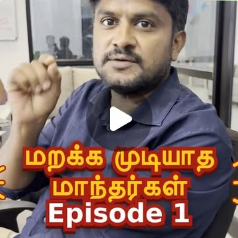
Video on SanskritOcr: https://www.youtube.com/watch?v=D7o2lp1BDXY
Related video (on wonderful vFlat mobile app): https://www.youtube.com/watch?v=pMF7FMwMKPo
Recently I came to know of vFlat from Sri. Raguveeradayal sir (he is a super treasure-house of knowledge on various software/apps and their capabilities). Immediately I made a quick test of it and let know Sri Muralitharan about it promptly who thus has made a detailed video on vFlat too. Because of utter lack of time, I have not watched this video yet but Ragu sir has commented as "அருமை. யாருக்கும் எந்தவித சந்தேகமும் வராத வகையில் மிகத் தெளிவாக விளக்கியுள்ளீர்கள். வாழ்த்துகள். நன்றி." for the vFlat video. So, that is more than enough for me.). Through Ragu sir, I came to know of i2ocr too about which too I have told Sri Muralitharan. So, thanks a TON to Sri. Ragu sir.)
Well, as usual, it is time to offer my Thanks in TONs to dear brother Sri. Muralitharan for the above videos, which can be of great benefit to the society.
Background story: Only recently I came to know about SanskritOCR - from an ardent admirer and great wellwisher of Azhagi, Sri Sundar Rajan sir. He had come to know about it from Sri. Seshadri sir. So, thanks a TON to both of them (residing in Bangalore, India). After testing SanskritOcr for a while and realising its simplicity even while being powerful, I let know Sri. Muralitharan about its prowess and simultaneous simplicity and requested him to make a video of it which he promptly did, amidst his very very limited resources (for making videos). In his video, Sri Muralitharan has not covered all the points I have listed above. Hence, this detailed post of mine on SanskritOcr. I pray God Almighty that this site continues to remain online for many more years to come (and if possible, come out as an offline tool too, with "straightforward" support for dual column layouts and one-shot pdf document conversion).
"When someone shares something of value with you and you benefit from it, you have a moral obligation to share it with others" - Chinese Proverb .
Viswanathan Balasubramanian (author, Azhagi Free Apps)
author.php#GodIsGreat
aasiriyar.php#GodIsGreat (தமிழில்)
"யான் பெற்ற இன்பம் பெறுக இவ்வையகம்" - திருமூலர்
https://motto.azhagi.com#a-kind-and-humble-request (a very humble request)
Important:
Actually, the above contents were part of a facebook post (https://www.facebook.com/groups/Azhagi/permalink/3837780059594859/) earlier. The post got deleted suddenly, one day, in 2022, by Facebook. I think Facebook's "Automatic Bot" mistakenly identified this post to be something to be deleted. I could not recover this aforesaid post at all, afterwards. I did search online for a solution but did not get any. So, on 16-Feb-2023, I finally found time to create this web page carrying the same contents of the aforesaid facebook post. Thanks a TON to the Lord Almighty, I had a copy of what I had posted in Azhagi Facebook Group earlier. I think I made my Facebook post on SanskritOCR a few days after Shri. Muralitharan hosted his vFlat video (on 27-Nov-2020).
Kind regards
(B. Viswanathan)
Recognises very many Indic/World languages - Tamil/Hindi/Sanskrit/English/French/Arabic/Kannada/etc. Uses Google Service.
- Convert Non-Editable texts to Editable texts ever-so easily.
- From images of PDF pages, Handwritten texts, Text overlays on pictures/photos, Scanned copies of newpaper/magazine articles, etc.
- All in just a few seconds. Quite fast. And, in my opinion, the Easiest and Simplest tool (see video to know how so).
- And, most importantly, it is More Accurate (when compared to any other OCR apps I have seen so far)^^
- In effect, wherever you see non-editable text** on your PC or mobile screen, it can be converted to editable text. Just like that.
- As a user, I simply loved SanskritOCR online tool as it met almost all my requirements (except straightforwardly## recognising texts in dual column layout).
- Well, try it to believe it.
(**) It can be the image of a web page in your own website too wherein you have disabled the facility to copy/paste your contents.
(##) In such cases, what I did was to take screenshot of the first column and get its text and then repeat the same for the 2nd column. Or, alternately, used dpScreenOcr offline tool (https://danpla.github.io/dpscreenocr) OR icr2.com online tool (i2ocr.com) both of which recognise dual columns.
Note-1: As of today, Sanskritocr does not have the option to convert a whole PDF document in one shot. May be tomorrow, it will. So, one of the best ways to adopt in such situations is the way I have described in tamil-hindi-pdf-to-editable-text-ocr.php(using Google Docs). I have written there what to do in case of dual column PDFs too (using Google Docs and Briss)
Note-2: If your PDF (in single column layout) has few pages only and you do not want to go the GoogleDocs way, then you can extract all of your PDF's pages as images, quickly stitch them all into one single image and OCR that image straightaway using SanskritOCR. I tried this for upto 10 images and it worked like a charm with SanskritOcr. You can try this for more images and you can get to know what is the ideal maximum no. of images you can stitch together for SanskritOcr to keep doing well.
Note-3: Dual column texts of PDFs displayed on your screen can be straightforwardly selected and converted to OCR using a free tool called dpScreenOcr (https://danpla.github.io/dpscreenocr/), which has the great advantage of being offline (i.e. you can install it in your desktop and use it). However, this tool does not have the prowess to convert handwritten text OR text overlays over images. Also, in case of casual scanned or photo copies (of books' pages, newpaper articles, magazine stories, etc.), dpScreenOcr is not able to do much. But, SanksritOcr extracts as much text as possible even in such cases.
Video on SanskritOcr: https://www.youtube.com/watch?v=D7o2lp1BDXY
Related video (on wonderful vFlat mobile app): https://www.youtube.com/watch?v=pMF7FMwMKPo
Recently I came to know of vFlat from Sri. Raguveeradayal sir (he is a super treasure-house of knowledge on various software/apps and their capabilities). Immediately I made a quick test of it and let know Sri Muralitharan about it promptly who thus has made a detailed video on vFlat too. Because of utter lack of time, I have not watched this video yet but Ragu sir has commented as "அருமை. யாருக்கும் எந்தவித சந்தேகமும் வராத வகையில் மிகத் தெளிவாக விளக்கியுள்ளீர்கள். வாழ்த்துகள். நன்றி." for the vFlat video. So, that is more than enough for me.). Through Ragu sir, I came to know of i2ocr too about which too I have told Sri Muralitharan. So, thanks a TON to Sri. Ragu sir.)
Well, as usual, it is time to offer my Thanks in TONs to dear brother Sri. Muralitharan for the above videos, which can be of great benefit to the society.
Background story: Only recently I came to know about SanskritOCR - from an ardent admirer and great wellwisher of Azhagi, Sri Sundar Rajan sir. He had come to know about it from Sri. Seshadri sir. So, thanks a TON to both of them (residing in Bangalore, India). After testing SanskritOcr for a while and realising its simplicity even while being powerful, I let know Sri. Muralitharan about its prowess and simultaneous simplicity and requested him to make a video of it which he promptly did, amidst his very very limited resources (for making videos). In his video, Sri Muralitharan has not covered all the points I have listed above. Hence, this detailed post of mine on SanskritOcr. I pray God Almighty that this site continues to remain online for many more years to come (and if possible, come out as an offline tool too, with "straightforward" support for dual column layouts and one-shot pdf document conversion).
"When someone shares something of value with you and you benefit from it, you have a moral obligation to share it with others" - Chinese Proverb .
- Azhagi - God's Own App. It's All Yours. Not mine.
- I strive to remain an utter non-entity.
- As Ever, All Glory and Thanks to the Lord Almighty Only. For Ever.
- Sarvam Sri Krishnarpanamastu. Hare Krishna!
Viswanathan Balasubramanian (author, Azhagi Free Apps)
author.php#GodIsGreat
aasiriyar.php#GodIsGreat (தமிழில்)
"யான் பெற்ற இன்பம் பெறுக இவ்வையகம்" - திருமூலர்
https://motto.azhagi.com#a-kind-and-humble-request (a very humble request)
Important:
Actually, the above contents were part of a facebook post (https://www.facebook.com/groups/Azhagi/permalink/3837780059594859/) earlier. The post got deleted suddenly, one day, in 2022, by Facebook. I think Facebook's "Automatic Bot" mistakenly identified this post to be something to be deleted. I could not recover this aforesaid post at all, afterwards. I did search online for a solution but did not get any. So, on 16-Feb-2023, I finally found time to create this web page carrying the same contents of the aforesaid facebook post. Thanks a TON to the Lord Almighty, I had a copy of what I had posted in Azhagi Facebook Group earlier. I think I made my Facebook post on SanskritOCR a few days after Shri. Muralitharan hosted his vFlat video (on 27-Nov-2020).
Kind regards
(B. Viswanathan)