-
 Download Azhagi+ (AzhagiPlus) - One's popular choice for multilingual transliteration and typing - Since 2011Version: 10.45 U4 | Released: Nov 2022
(Note: If you are quite familiar with Portable apps, you can download and install Portable Azhagi+ [10.45 U11, June 2026] too - from here OR here. It has significant advantages over the 'Setup.exe version' of Azhagi+. And, if you proceed to install the 'Portable' version of Azhagi+, then you need not install the 'Setup.exe' version of Azhagi+ since both are functionally the same.)
🌷🌿🤲 ஒரு நெஞ்சார்ந்த வேண்டுகோள்
🌷🌿🤲 A heartfelt Appeal
- Please note that there is no team here. I have been developing all of Azhagi's free apps from my home, amidst many hardships (including extreme health situations at times), ever since 2000, as an offering to God.
- All the support for this SatKarma – a saga of Love - lovingly provided by my better half. Ultimately, All Glory and Thanks to the Lord Almighty alone. Forever.
- All the Azhagi free apps (16 of them as of today, and more to come, God willing) are world class in nature, with many never-before-seen features, benefiting crores across the globe. All these unique apps are available to you at absolutely no cost. Peerless and Priceless. Support for them is free too — even over phone, whatsapp, etc.!!! (Thanks to the Great gopalan sir — eternally, in tons), which is unheard-of, unprecedented and unparalleled, in the field of freeware.
- So, I kindly request you to spread the word about all the Azhagi free apps, esp. in the social media, in as many ways as possible, so that more and more of the society get benefited. One best way is to host a video on one or more of the Azhagi free apps in your YouTube channel (if you own one). I have listed 36 ways totally in my spread.php page. Also, please visit share-your-love.php page and see in what all ways you can contribute to Azhagi — nonmonetarily, nonmaterially.
- By the way, since many years (I am 59 now), I have striven my best to not to watch TV, not to see movies, not to read newspapers, not to hear songs, etc. I go out of my home itself only rarely. I have worked ever so hard on Azhagi, working late night many a times. I have worked the whole night through too, now and then (extending to the next day too occasionally), even amidst my chronic health issues. My motto is to spend as much time as I can on Azhagi free apps and Azhagi free apps alone (in other words, in Azhagi SatKarma alone), until I am destined to.
- In fact, as mentioned here, I have been praying to God to give me boons like "no-Hunger, no-Sleep, no-Thirst, etc."... with the best of health condition and a serene mental state always, in order to carry out Azhagi SatKarma without any interruptions, whatsoever.
- So, after using 'Azhagi+' for a few days, kindly please share your feedback and testimonials for it (at my email address Birthless.Deathless@gmail.com). I would greatly appreciate it. Alternatively, you can share your feedback or testimonials in Azhagi's facebook group, if you prefer it that way. Even a one-liner saying "Everything is working well" would be of immense value. Thanks.
- You may also prefer to share your testimonial or heartfelt feelings on Azhagi in the comments section of the very loving write-up on Azhagi in 'Sri Sathya Sai Yugam' webzine. I will feel mighty glad.
- In my own personal humble opinion, sharing your testimonial for Azhagi is one other soulful opportunity for you to offer your immense Gratitude to the Divine. And, whenever you seek help from Shri. Gopalan regarding Azhagi, it is a truly blessed opportunity for you to share your gratitude and testimonial with him directly — over phone, WhatsApp, etc. Kindly remember that Azhagi apps are God's own. Not mine. In fact, I may pass away even this next second but Azhagi apps will live longer, for as long as the Divine wills.
- In case you have been already using Azhagi free apps (in Mac or Android) before starting to use 'Azhagi+', then kindly share your testimonials for them too.
- For examples on how users have shared their hearty/heartfelt testimonials for Azhagi in the past, please visit the testimonials page.
-
Humbly Yours - viswanathan - author, Azhagi free apps
| Sri Sathya Sai Yugam - on Azhagi || ஸ்ரீ சத்யசாயி யுகம் - ஸ்வாமியின் அழகி குறித்து |
Some pertinent info
- Azhagi+ is 100% free - for life
- Support is also 100% free - for all - whether it be individuals or businessmen or organisations; Even over whatsapp, phone, email, remote tools, etc. - Click here and here for details.
- Answers are available for all frequently asked questions.
- 100+ demo videos are available.
- You can download 15 more free apps from here.
- Azhagi+ is powerpacked and loaded with exquisite features, including unique and first-of-its-kind features.
- Features List | Unique Features | User Testimonials | Media Reviews | Large User Base | Pages in Wikipedia - 1, 2, 3
- Please see the FAQ page to get ready answers to all your questions on installation, typing, etc. More than 100 Video demos are available too.
You might be interested in these 15 other free apps too — in a class of their own
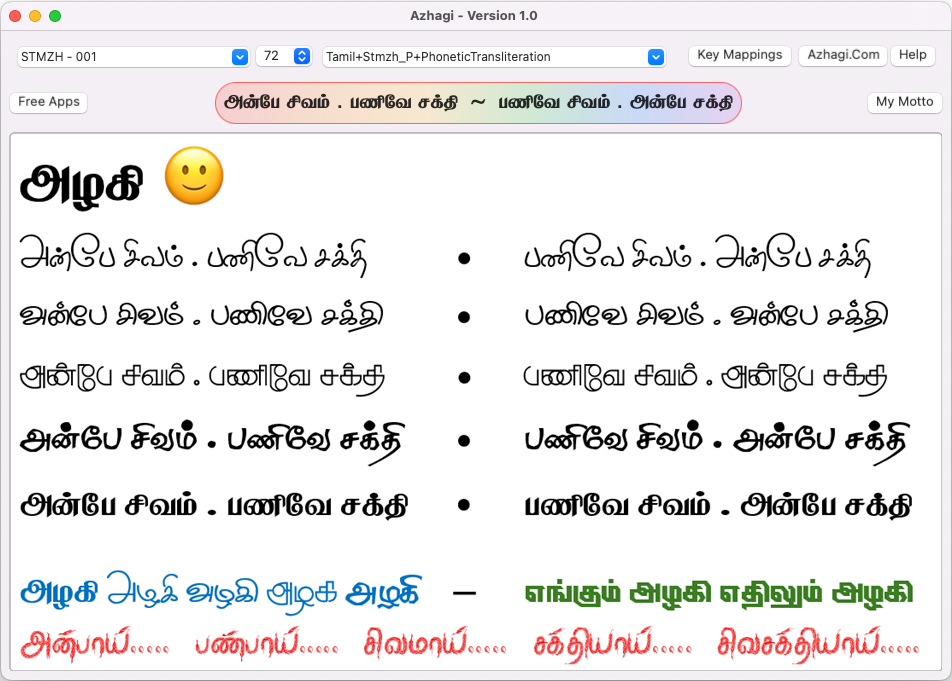
- Azhagi for macOS - for Mac laptops and desktops - Typer and Converter - please visit azhagi-for-mac.php
-
'I AM That Word' mega free app - Word Builder, Word Suggester, Word Searcher, Thirukkural Searcher, etc. - please visit i-am-that-word.php
- And more — Azhagi++, Azhagi's addins for MS Office, "Self-typing" Phonetic fonts, Tamil Font Converters, Lightning fast 'MS Word Document' Converter (DTTC), 'Word Search' puzzle in Tamil, 'Word Jumbler' for Tamil, Reverse Tamil text, Turbo font viewer, Typing speed tester, SaiNectars, Classic Azhagi (Old Azhagi), Azhagi for Android, etc. - please visit all-free-apps.php to download any of them.
You might be interested in these 100s of free fonts too — Stylish and Design fonts, Print and Web fonts, Book-publishing fonts, Dotted/Tracing fonts, Handwriting and Mouse-written fonts, AutoText and Color fonts
- Please visit freefonts.php
Interested in integrating Azhagi's typing into your own apps?
- Please visit integrate-azhagi-typing-into-your-own-apps.php
Spread, Host, and Share
- Spread the word: Once you have started to use any of the Azhagi free apps comfortably, I kindly request you to spread the word about them, esp. in the social media, in as many ways as possible, so that more and more of the society get benefited. Thanks.
- Host a video: Please host a video demo on any of the Azhagi free apps in your YouTube channel (if you own one) — this is one of the best ways in which you can help spread the word about 'Azhagi for Mac'. I have listed 36 ways totally in my spread.php page.

- Share your love: Please visit share-your-love.php and see in what all ways you can contribute to Azhagi, non-monetarily, non-materially - and thus, share your love, ultimately.
Love ~ You can share your Love
Mr. Victor said so, in WhatsApp, in Sep 2026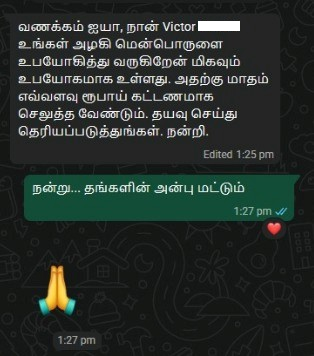 The accompanying screenshot is a lovely message of gratitude and indebtedness received (on 18-Sep-2026) in WhatsApp by Gopalan sir from Mr. Victor (writing to sir for the first time) and sir's reply to him asking him to just keep sharing his love alone.
The aforesaid message from user Thiru. Victor is one other example (amongst many) of howwwwwwwwwwwwwwwww much Azhagi is useful to its users so that they voluntarily come forward with requests such as these (because of a feeling of immense gratitude and indebtedness) though they are well aware that no money is ever sought by me.Version: 10.45 U4 | Released: Nov 2022
(Note: If you are quite familiar with Portable apps, you can download and install Portable Azhagi+ [10.45 U11, June 2026] too - from here OR here. It has significant advantages over the 'Setup.exe version' of Azhagi+. And, if you proceed to install the 'Portable' version of Azhagi+, then you need not install the 'Setup.exe' version of Azhagi+ since both are functionally the same.)
🌷🌿🤲 ஒரு நெஞ்சார்ந்த வேண்டுகோள்
🌷🌿🤲 A heartfelt Appeal
- Please note that there is no team here. I have been developing all of Azhagi's free apps from my home, amidst many hardships (including extreme health situations at times), ever since 2000, as an offering to God.
- All the support for this SatKarma – a saga of Love - lovingly provided by my better half. Ultimately, All Glory and Thanks to the Lord Almighty alone. Forever.
- All the Azhagi free apps (16 of them as of today, and more to come, God willing) are world class in nature, with many never-before-seen features, benefiting crores across the globe. All these unique apps are available to you at absolutely no cost. Peerless and Priceless. Support for them is free too — even over phone, whatsapp, etc.!!! (Thanks to the Great gopalan sir — eternally, in tons), which is unheard-of, unprecedented and unparalleled, in the field of freeware.
- So, I kindly request you to spread the word about all the Azhagi free apps, esp. in the social media, in as many ways as possible, so that more and more of the society get benefited. One best way is to host a video on one or more of the Azhagi free apps in your YouTube channel (if you own one). I have listed 36 ways totally in my spread.php page. Also, please visit share-your-love.php page and see in what all ways you can contribute to Azhagi — nonmonetarily, nonmaterially.
- By the way, since many years (I am 59 now), I have striven my best to not to watch TV, not to see movies, not to read newspapers, not to hear songs, etc. I go out of my home itself only rarely. I have worked ever so hard on Azhagi, working late night many a times. I have worked the whole night through too, now and then (extending to the next day too occasionally), even amidst my chronic health issues. My motto is to spend as much time as I can on Azhagi free apps and Azhagi free apps alone (in other words, in Azhagi SatKarma alone), until I am destined to.
- In fact, as mentioned here, I have been praying to God to give me boons like "no-Hunger, no-Sleep, no-Thirst, etc."... with the best of health condition and a serene mental state always, in order to carry out Azhagi SatKarma without any interruptions, whatsoever.
- So, after using 'Azhagi+' for a few days, kindly please share your feedback and testimonials for it (at my email address Birthless.Deathless@gmail.com). I would greatly appreciate it. Alternatively, you can share your feedback or testimonials in Azhagi's facebook group, if you prefer it that way. Even a one-liner saying "Everything is working well" would be of immense value. Thanks.
- You may also prefer to share your testimonial or heartfelt feelings on Azhagi in the comments section of the very loving write-up on Azhagi in 'Sri Sathya Sai Yugam' webzine. I will feel mighty glad.
- In my own personal humble opinion, sharing your testimonial for Azhagi is one other soulful opportunity for you to offer your immense Gratitude to the Divine. And, whenever you seek help from Shri. Gopalan regarding Azhagi, it is a truly blessed opportunity for you to share your gratitude and testimonial with him directly — over phone, WhatsApp, etc. Kindly remember that Azhagi apps are God's own. Not mine. In fact, I may pass away even this next second but Azhagi apps will live longer, for as long as the Divine wills.
- In case you have been already using Azhagi free apps (in Mac or Android) before starting to use 'Azhagi+', then kindly share your testimonials for them too.
- For examples on how users have shared their hearty/heartfelt testimonials for Azhagi in the past, please visit the testimonials page.
-
Humbly Yours - viswanathan - author, Azhagi free apps
| Sri Sathya Sai Yugam - on Azhagi || ஸ்ரீ சத்யசாயி யுகம் - ஸ்வாமியின் அழகி குறித்து |
Some pertinent info
- Azhagi+ is 100% free - for life
- Support is also 100% free - for all - whether it be individuals or businessmen or organisations; Even over whatsapp, phone, email, remote tools, etc. - Click here and here for details.
- Answers are available for all frequently asked questions.
- 100+ demo videos are available.
- You can download 15 more free apps from here.
- Azhagi+ is powerpacked and loaded with exquisite features, including unique and first-of-its-kind features.
- Features List | Unique Features | User Testimonials | Media Reviews | Large User Base | Pages in Wikipedia - 1, 2, 3
- Please see the FAQ page to get ready answers to all your questions on installation, typing, etc. More than 100 Video demos are available too.
-
downloadMore FREE apps (in addition to AzhagiPlus) - Azhagi for Mac, Azhagi++, SITA, SaiNectars, 'I AM', 'Thirukkural Searcher', 'Word Finder', Word Analyser, Typing Speed Tester, AAW, AAE, DTTC, etc.Click here to download all of Azhagi's FREE apps, whichever you need.
-
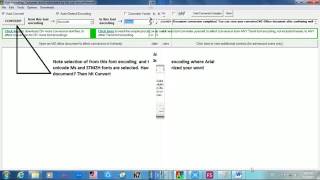
 100+ video demos - There are more than 100 videos on Azhagi free apps, most of them created by users of Azhagi appsOn Tamil typing using Azhagi+






































On SITA (SaiIndira TAmil) Self-Typing fonts
SITA fonts - Unique and First of their kind - Click here for full details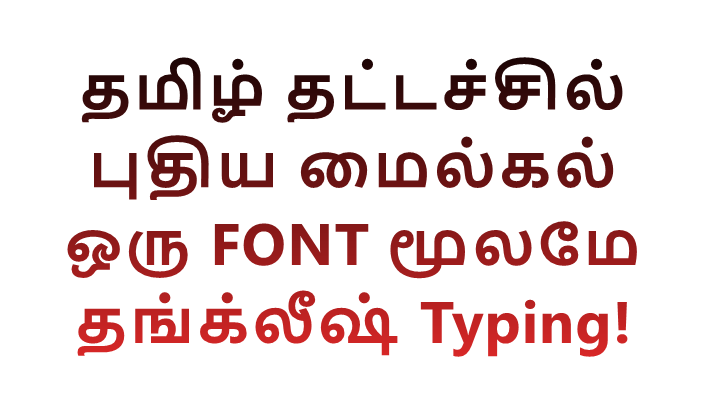
On Indic typing using Azhagi+


On AAW, AAE

On Azhagi++




On Alt+3 vs Alt+4
On Portable Azhagi+

Note: The above videos (and some more too, possibly) are presented in different viewing formats/styles (whichever is convenient for the user) at videos.php, demos.php, demos2.php and demos3.php too. -
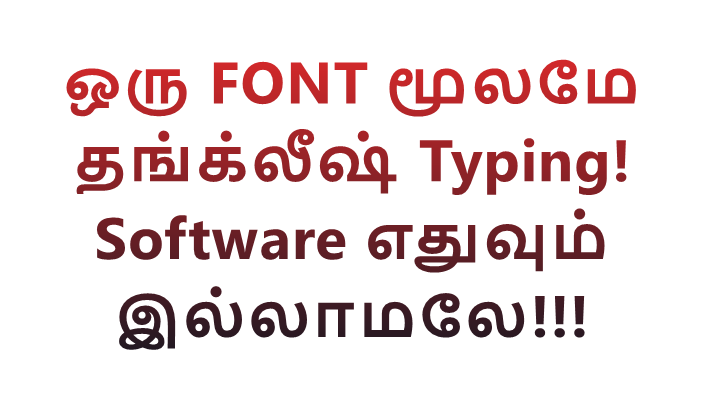
font_downloadA new milestone in Tamil computing - Type phonetically using a font itself - No need for any external software supportதமிழ் தட்டச்சில் ஒரு புதிய மைல்கல் - ஒரு FONT மூலமே தங்க்லீஷ் Typing - பின்புலத்தில் Software எதுவும் இயக்காமலே!
Please visit innovative-fonts-unique-and-special.php to get to know all the details on the innovative 'SaiIndira' Self-Typing Tamil fonts. -
constructionUnique tools galore - 'Tamil to Tanglish' converter, 'Tanglish to Tamil' converter, Direct Word/Excel documents 'Tamil fonts converter', etc.The 'Tamil to Tanglish' and 'Tanglish to Tamil' converters - Tools that have been around for 20+ years in Azhagi. The video below is on them.
The 'Tamil to Tanglish' reverse-transliterator and 'Tanglish to Tamil' auto-transliterator tools have been present in 'Classic Azhagi' (released in 2000) itself. They are now present in Azhagi++ (released in 2023) also, in a spruced-up manner.Video thumbnail

Video
Full details on RT (Reverse Transliterator - Tamil to Tanglish) at azhagi-aaw-rt-reverse-trans.php
Full details on AT (Auto Transliterator - Tanglish to Tamil) are at azhagi-aaw-at-auto-trans.php
-
spellcheckWorld of Words - First-of-their-kind Word Suggester/SpellChecker, Word Builder, Word Checker/MeaningLookupper, Word Searcher/ThirukkuralSearcher, Word Finder, Word Letterer, Word Speedster."I AM That Word" Windows application - https://azhagi.com/i-am-that-word.php - it has 7 "UNIQUE" Tools for Tamil, as of now: Word Builder, Word Suggester/SpellChecker, Word Checker/MeaningLookupper, Word Searcher/ThirukkuralSearcher, Word Finder, Word Letterer and Word Speedster
Full details on the above wonderful tools are available at i-am-that-word.php. A gist of the above tools' features below (for Tamil, as of now, but extendable to all other languages, incl. English, Hindi, Sanskrit, Kannada, Telugu, Malayalam, etc.)
- Word Builder (AUTOMATICALLY collect [in quick time] "ALL" the words in TAMIL [and potentially from ANY language] from various sources in your system incl. online resources and Wikipedia dumps; No need to enter words manually into the database; In a matter of minutes, you can build a database of 20Lakhs+ words) - One of its kind
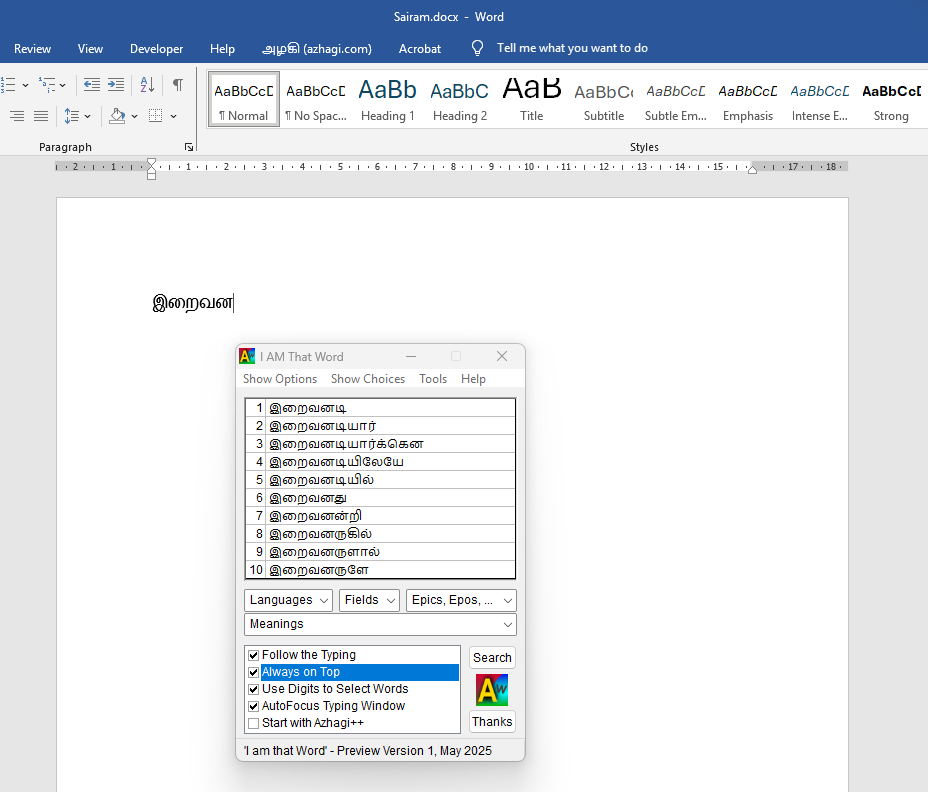
- Word Suggester and SpellChecker## (get words suggested [from the ones collected by you] instantly in a popup box, as you keep typing in MS Word; you can select the word of your choice from that popup instantly so that it gets inserted into your document, right at the cursor point, replacing the letters typed up to that point) - One of its kind
- Word Searcher and Thirukkural Searcher (search on the words collected by you, even in Tanglish itself (e.g. "amma") if you wish to, even using wildcards like ? and asterisk, in a variety of ways) - One of its kind
- Word Finder (find words hidden in a grid of letters; has interesting features incl. a very special one) - One of its kind
- Word Checker (browse through the collected words, check their meanings online from within "I AM" itself, etc.) - One of its kind
- Word Letterer (analyse a word to it's root; show all constituent letters, count of letters, etc.) - One of its kind
- Word Speedster (typing speed tester; show count of words, letters, strokes input in a user-chosen time limit) - One of its kind
- I have provided a 'Thirukkural Searcher' also in 'I AM' which can search the Kurals in very many diff. ways. It can display the words found for particular lengths too. And, one can search in Tanglish too! (e.g. 'agara')
- Much like Thirukkural, "potentially", the whole of Gita or Bible or Quran can be searched too, "potentially" in any language#, potentially in transliterated English itself (i.e. in Hinglish, Manglish, etc. itself)
(#) For "searching in any language" (in general Or specifically in epics like Gita, Bible, Quran, etc. OR specifically in fields like Spirituality, Education, Agriculture, Health, etc.) to become a reality though, I need the help of some goodhearted souls so that 'I AM' is complete and wholesome for Tamil first. Thereafter, if help comes forth, more and more benefits to the society. I have written about this in detail at hearts-and-hands.php - you may please read when time permits. - From the above, you might have understood that, apart from creating All-Words databases for various languages (Tamil, Hindi, Kannada, Malayalam, etc.), one can create categorized databases too in various languages. The databases can be categorized:
Based on Epics - Gita, Bible, Quran, Maha Ramayanam, Yoga Vasishtam, Valmiki Ramayanam, Maha Bharatham, Kamba Ramayanam, Vishnu Sahasranamam, Nalayira Divya Prabandham, Ribhu Gita, Lalitha Sahasranamam, Sri Devikalottaram, Thirumandhiram, Ashtavakra Gita, Advaita Bodha Deepika, Kaivalya Navaneetham, Thirukkural, Athichoodi, Bharathiyar Paadalgal, And many many more...
Based on Fields - Spirituality, Sanskrit, Tamil, Sociology, Accounting, Agriculture, Anthropology, Architecture, Astronomy, Astrology, Arts, Biology, Botany, Chemistry, Climate, Computers, Computer Science, Computing, Demography, Data Mining, Engineering, Ethics, Farming, Forensics, Gardening, Geography, Hardware Technology, History, Horticulture, Human Behaviour, Internet, Information Technology, Journalism, Kinematics, Languages, Law, Logic, Maths, Medicine, Naturopathy, Ophthalmology, Photography, Physics, Programming, Psychology, Quality Control, Quantum Mechanics, Robotics, Software Technology, Sports, Statistics, Transportation, Urban Planning, Vegetarianism, Weather, X-Ray, Zoology, And many many more...
- As of now, 'Thirukkurals' database is the only database provided by me (Based on Epics) in "I AM" application. I had time for creating that database only, by myself, as of now.
- One aspect to be noted is that if the user wishes to keep any of the databases he creates for himself, he can. There is no need to share them with anybody else.
- Since WS (short for 'Word Suggester') suggests words as you keep typing your letters, in case you have made any spelling mistake in typing the first few letters of your intended word, WS may not suggest any word. So, that's a clear indication that you have made some mistake in your spelling.
- And, even in an already typed document, if you keep your cursor after the end of each word, WS will suggest words if the spelling of the word is correct. Otherwise, not. So, misspelt words can be easily found out, that way.
- Naturally, one would want the entire document to be parsed and the misspelt words to be highlighted. That can also be done but the catch now is that a full-fledged database (with all misspelt and unneeded words weeded out) does not exist. There is a 20Lakhs+ Tamil words database (built by the 'Word Builder' tool itself, in about 30 to 40 minutes) already. But, it is not weeded out.
- If there is at least one brother/sister who can do the IMMENSE help (of weeding out the 20L+ Tamil words database), it would serve as an IMMENSE BENEFIT to the society. And, that brother/sister will remain IMMENSELY Blessed, my heart feels. Sairam Sairam Sairam.....
- But, that brother/sister may have to co-ordinate with Gopalan sir only for learning about 'I AM", weeding out the 20L+ database, adding any words not in it yet, etc. If that brother/sister is a tech-savvy person, task becomes very easy.
- All that would matter, finally, is that brother's/sister's LOVE for this society.
## SpellChecker
Screenshot below shows the 'Word Suggester/SpellChecker' in action.
-
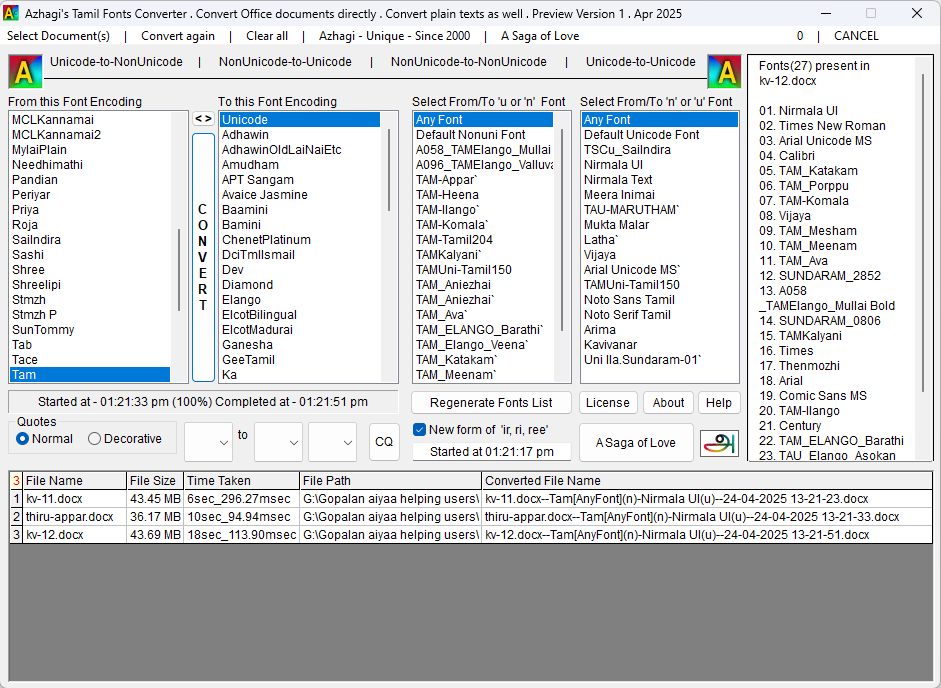
WDocument Tamil Fonts Converter - Convert 'MS Word' and 'LibreOffice Writer' documents - at 'magical' speeds - from one Tamil font to another - with all formatting intact.Full details on the powerful features of DTTC are available at document-text-tamil-fonts-converter.php. The following is just a list of key features.
- You can convert MS Office Word documents - at "MAGICAL" speeds - from one Tamil font to another. If your document is just 1 page, then the conversion may take place even in less than 100 milliseconds (i.e. less than 1/10th of a second!). Yes, use DTTC to believe it.
- For instance, it takes only around 6 seconds to convert a 330 pages Word document from TAM fonts (not just one but many TAM fonts are used in the document) to Unicode - with all formatting (Bold, Italic, Underline, Tables, Colors, Images, Headers/Footers, etc., etc., etc.) intact.
- MS office or MS Word need not be installed in one's system to effect the conversion of the .docx documents. Even if installed, no need to open it, for the purpose of conversion.
- Convert text files as well, from one font encoding (e.g. Unicode) to another (e.g. Bamini)
- Batch conversion is possible. i.e. you can select one or more files (.docx and .txt, as of now) from Windows explorer and convert them all in one go.
- To convert LibreOffice Writer documents, save them first to .docx format. Then, convert those .docx files. You can save those .docx files to .odp format again.
- 4 types of conversion are possible:
Unicode to NonUnicode
NonUnicode to Unicode
NonUnicode to NonUnicode
Unicode to Unicode
- To learn more about DTTC, please visit DTTC Home Page
-
3/4Alt+3 vs Alt+4 - (na=ந, ee=ஈ, oo=ஊ) vs (wa=ந, ee=ஏ, oo=ஓ)
-
wb_autoWikipedia pages - Pages on 'Azhagi' in WikipediaEnglish Wikipedia on 'Azhagi': en.wikipedia.org/wiki/Azhagi_(software)
Tamil wikipedia on 'Azhagi': ta.wikipedia.org/wiki/அழகி_(மென்பொருள்)
One other Tamil Wikipedia page related to 'Azhagi': ta.wikipedia.org/wiki/பா._விசுவநாதன்
-
thumb_upTestimonials - Hearty feelings shared by users/wellwishers via Email, Whatsapp, Facebook messenger, Azhagi Facebook group, etc.
-
local_libraryReviews - Press/TV/Radio interviews, Web/Blog articles, etc.You may please click here
-
wcUsers - Galore, from different walks of lifeYou may please click here
-
sentiment_satisfied_altAbout me - God is everything; I strive to remain a non-entity. Azhagi free apps are a SatKarma. A Saga of Love.You may please visit author.php#GodIsGreat, SatKarma, Saga and Love.
Love is God . Humility is power | Humility is God . Love is Power
Lovingly Humbly Yours
viswanathan


ஸ்ரீ சத்யசாயி யுகம்  ஸ்வாமியின் அழகி குறித்து
Menu menu
ஸ்வாமியின் அழகி குறித்து
Menu menu
Type in 100+ Languages ▸
Key Mappings ▸
Unparalleled Free Support ▸
Social Proof ▸
The Story – Since 2000
Spread the Word ▸
Share your Love
Other Indic Software
Never-Before-Seen Fonts ▸
100s of Free Fonts ▸
Special Fonts ▸
A HeartFelt Appeal
My Better Half
Myself ▸
My Vision ▸
God-Realisation ▸
Sri Sathya Sai Yugam On Swami's Azhagi
menu Menu
Type in 100+ Languages ▸
Key Mappings ▸
Unparalleled Free Support ▸
Social Proof ▸
The Story – Since 2000
Spread the Word ▸
Share your Love
Other Indic Software
Never-Before-Seen Fonts ▸
100s of Free Fonts ▸
Special Fonts ▸
A HeartFelt Appeal
My Better Half
Myself ▸
My Vision ▸
God-Realisation ▸
ஸ்வாமியின் அழகி குறித்து
Menu menu
- Download 16 Unique Apps ▸
On Swami's Azhagi
menu Menu
- Download 16 Unique Apps ▸