
|
 Version 6.0.5, Dated: 11-May-2009
Azhagi-Setup.exe | Azhagi-Setup.zip Operating Systems: 9X/ME/NT/2K/XP/2K3/Vista/7 |

|
Azhagi is not yet another Tamil transliterator. She is 'Different'. Azhagi uses a path'breaking transliteration scheme, since 2000. Read more on that here. Download Azhagi for FREE, install it and effect 'Direct Tamil Input' in ALL Windows applications - MS'Word, Excel, Powerpoint, PageMaker, Outlook Express, etc. In effect, Type in Tamil, Email in Tamil, Chat in Tamil, Print in Tamil, Publish in Tamil, Blog in Tamil, Create databases in Tamil, Create presentations in Tamil and Build websites in Tamil - with EASE... Plus, make use of powerful & unique tools like Auto Transliterator, Reverse Transliterator, Dual Screen Transliterator, and more |
- What you should do after downloading? (very important info - please read without fail)
- Click on the downloaded Setup file (usually named 'Azhagi-Setup.exe'), to start installing 'Azhagi'.
- At the end of installation, 'Azhagi' will start automatically and the opening main editor window of Azhagi will get displayed.
- You can now press F10 to type/transliterate directly in Tamil in ANY windows application but, before commencing the same, please do the following as your first step:
On Azhagi's opening screen, please click the banner (as you see in the screenshot below) with text starting as 'Open any external application, like MS-Word. ...'. After clicking the same, step-by-step instructions will get displayed with clear-cut screenshots. Read them just once, understand the same and thereafter you can just press 'F10' and start transliterating/typing in Tamil in ANY application like MS-Word, Excel, Powerpoint, PageMaker, Photoshop, Internet Explorer (Gmail, Yahoo! Chat, Google Search, Blogs, etc.), Outlook Express etc. etc.

- You can type/transliterate from within Azhagi also - in either 'Tscii' or in 'Unicode'.
- You can transliterate in Tscii in either 'Dual Screen' or 'Single Screen'.
- You can transliterate in UNICODE in a separate Unicode Editor, which you can invoke by pressing 'F8' or clicking the 'Unicode Editor' button (as you see in the screenshot below) at the top right of Azhagi's opening screen.

- You can transliterate in Tscii in either 'Dual Screen' or 'Single Screen'.
- Phonetic (type as you speak) keyboard layout is the default. You can change it to 'TamilTypewriting' or 'Tamilnet99' keyboard layout, whenever you need to.
- You can use ALL the features of Azhagi incl. Auto Transliteration (click here for snapshot and click here for more details), Reverse Transliteration (click here for snapshot and click here for more details), Dual Screen Transliteration, etc. There are NO limitations, whatsoever.
- Azhagi's online support forums (groups)
Join (for free, ofcourse) Azhagi's support forums online. Click here to read details on Azhagi's forums and how to join them. By joining Azhagi's forums, you will get to know answers to ALL your frequently asked questions on how to Email, Chat, Blog, Document, Print, Publish and Create Tamil websites using Azhagi. You will get up-to-date news on software upgrades, offers, Unicode, Tamil computing, Indian languages computing (Hindi, Malayalam, Telugu, Kannada, ...) etc.
- Screen Snapshots
Please see http://azhagi.com/snaps.html without fail for seeing the working of Azhagi in various modes (Dual Screen, Single Screen, etc.) and in various applications (Ms-Word, Excel, Chat windows, Email clients, etc.)
- Features - Full List
Please click here and see the complete set of Azhagi's versatile features, in a concise tabularized form. For more elaborate explanations of the features, you may visit azhagi.com/feats.html. The same can be read in Tamil here.
- Click on the downloaded Setup file (usually named 'Azhagi-Setup.exe'), to start installing 'Azhagi'.
- How you can help us in return, for using Azhagi for FREE?
The Azhagi pack offered to you (and all else) for FREE, here at azhagi.com, is the full pack of Azhagi with a host of powerful and unique features (like Auto Transliteration, Reverse Transliteration, Dual Screen Transliteration, ..., ..., ...) to go along with direct Tamil input in all windows applications.
'Team Azhagi' (alias Azhagi.com alias SRV Consultants) is nothing but the author of Azhagi and his well-wishers around the world, without whom Azhagi would not have grown thus far. Please see Azhagi's clients list, in this context. Please also read appreciative media reviews and user comments on Azhagi's user-friendliness, innovation and unique features. Hence, as a first step, as a well-wisher, kindly spare a few minutes to read the story of Azhagi to know how it all started single-handedly under unusual circumstances and spread the news of 'Azhagi' to all your contacts. Apart from this, you can do a lot more (not only to Azhagi but to all developers involved in making softwares for computing in various Indian languages). A list of what all such things one can do has been put up by us here. You may kindly have a look.
Kind Regards
B. Viswanathan (Author, Azhagi)
- In a nutshell, what all does Azhagi do for me?
- Direct Tamil Input in ALL windows applications (like MS'Word, Outlook Express, Google Talk, Internet Explorer, etc.) - in both tscii and unicode.
- Three input modes - phonetic, tamilnet99 and tamil-typewriter.
- A flexible and user'friendly English-to-Tamil key'mapping scheme, making phonetic transliteration easy, natural and intuitive.
- Azhagi's own in-built editors (both Dual and Single) making Tscii/Unicode transliteration easier and faster.
- Tscii to Unicode Bulk converter (convert multiple files at the same time). And, Unicode to Tscii converter too.
- Dynamic Tamil Web Font (both Tscii and Unicode compliant) - to create Tamil websites.
- In effect, Type in Tamil, Email in Tamil, Chat in Tamil, Print in Tamil, Publish in Tamil, Blog in Tamil, Create databases in Tamil, Create presentations in Tamil and Build websites in Tamil - with EASE...
- Plus, Auto-Transliteration, Reverse Transliteration, Pop-up Transliteration.
- And, much more
- Direct Tamil Input in ALL windows applications (like MS'Word, Outlook Express, Google Talk, Internet Explorer, etc.) - in both tscii and unicode.
- Dynamic Tamil Web Font
We have provided dynamic Tamil web fonts for many Tamil sites. For more details on this, click here
- More Free Tamil Fonts
Click here to get more free Tamil fonts - in Tscii, Unicode and various other font encodings. We take this opportunity to offer our sincere appreciation to all the developers of free Tamil fonts.
- License Terms
If you continue to use Azhagi for free, kindly consider making a payment (particularly if you are using Azhagi for commercial purposes). Please always see full.azhagi.com for full details in this regard.
- Comprehensive info on Azhagi
Full and comprehensive information on every aspect of Azhagi can be obtained by visiting full.azhagi.com. You can also click on each of the menu items at the very top of this page (and every other page of azhagi.com) to get detailed info on various aspects of Azhagi.
- Online Help on Unicode and Azhagi
Apart from the comprehensive HELP in-built into Azhagi, the same is available online too. For comprehensive help on Unicode, please visit azhagi.com/uniset.html and azhagi.com/unihelp.html. For online help on all aspects of Azhagi, please visit azhagi.com/faq.html and azhagi.com/help.
- Important Note for Win Vista/7 users
In Win Vista/7, Tamil Typewriter & Tamilnet99 input modes do not work seamlessly during 'Direct Tamil Input' in certain external applications. This would get corrected in a future version. Do note that from within Azhagi, these input modes work fine as ever.
- Contacts
B.Viswanathan, SRV Consultants,
B1, Old No.15-16, New No.28,
'Subhodaya' Flats (Next to DTDC Couriers),
Gopalakrishna Road (2nd parallel road behind 'Naidu Hall'),
T.Nagar. Chennai - 600017. India.
[Ph: 91-44-42024669, 0-98403-39750]
Please click here to see all the contact details in full, including a clear-cut route map to our office (cum residence).
| FEATURES |
 Azhagi (Full Pack) |
|
| Path'breaking transliteration technology which helps you transliterate easier. Click here (thanks to mazhalaigal.com) for FULL details. | y | |
| Direct Tamil Input in ANY Windows application in Tscii - Snapshot and details | y | |
| Direct Unicode* Tamil Input in ANY Windows application - Snapshot and details
By the inherent power of Unicode and its effective application in various MS applications, the following powerful/useful actions are possible:
|
y | |
| In effect, Type in Tamil, Save in Tamil, Print in Tamil, Email in Tamil, Chat in Tamil, Blog in Tamil, Create databases in Tamil, Create presentations in Tamil and Build websites in Tamil - with ease. | y | |
| Auto'Transliteration - Convert (transliterate) your existing English texts (in MS-Word docs, Excel docs, Text fles, Web pages etc.) into Tamil in quick time. No need to retype your Tanglish texts to generate the Tamil equivalent. Click here for snapshot and click here for more details. | y | |
| Reverse Transliteration - Convert (transliterate) your existing Tamil texts back to English (i.e. Tanglish). No need to retype them in Tanglish. You can reverse transliterate only Tscii Tamil texts, as of now. So, if your existing text is in Unicode, it has to be converted to Tscii (using Azhagi's Font Converter tool) before effecting reverse transliteration. Click here for snapshot and click here for more details. | y | |
| Change keyboard layout from 'Phonetic' to 'Tamil Typewriter' or 'Tamilnet99' | y | |
| Always-on-top (on-screen) keymapping tables - both vertical & horizontal - (for beginners to see those tables and transliterate) | y | |
| Unicode Editor - Azhagi has a fast and easy in-built Unicode Editor. You can type/save/email your Unicode text from within this editor (OR) copy/paste the Unicode text generated to any other external application/window like Wordpad, Outlook Express, Blogs, Google/Yahoo Email Message windows etc. Unlimited undo is allowed and there are several other useful features. Click here for snapshot and full details. | y | |
| Tscii to Unicode conversion of HTML texts and files (*.html, *.text, *.js) Bulk conversion i.e. convert multiple files at the same time, from Tscii to Unicode |
y | |
| Unicode to Tscii conversion of texts (html or javascripts or any plain text) |
y | |
| Dynamic Tamil Web Font (both Tscii and Unicode compliant), to create your own Tamil website. See a sample site here. Click here for more details on procuring and using our dynamic font. | y | |
| Change English-to-Tamil keymappings of letters like 'z', 'nj', 'ng' etc. | y | |
| Popup Transliteration - Transliterate and display a line/portion/whole (max. 4000 chars) of the text of an external document you are currently viewing (say an Ms-Word document), in a separate pop-up window (in Tscii, as of now) | y | |
| --- The following features pertain to Azhagi's own in-built Tamil editor for Tscii --- | ||
| Dual Screen Transliteration - Snapshot and details. Click here to read about the immense usefulness of Dual Screen Transliteration. | y | |
| Single Screen Transliteration - Snapshot and details | y | |
| On-screen Keymappings display - vertical (always-on-top), horizontal (either contained or always-on-top) | y | |
| Email in Tamil. One-click instant button to send your emails thru Outlook Express etc. | y | |
| Create Tamil documents in universally readable RTF format | y | |
| Read your Tamil documents from MS-Word | y | |
| Print your Tamil documents from MS-Word | y | |
| Mixed Text typing (i.e. English and Tamil texts intermixed) | y | |
| Copy/Paste your Tamil text to any external application (MS-Word, Pagemaker etc.) | y | |
| Save your English and Tamil texts in two SEPARATE documents respectively and print/distribute/email them | y | Text formatting and alignment. Option to set start-up font size, color etc. | y |
| Use backquote character as mey-uyir separator | y | |
| Find your Tamil text by typing in English (rather tanglish) itself, during 'Dual Screen' Transliteration | y | |
| 'Search & Replace' on both Tamil and English Text during 'Single Screen' Transliteration | y | |
| Word Count (on both Tamil and English texts) | y | |
| Show recent files accessed | y | |
| Choose a favorite folder to access/save your Azhagi files | y | |
| --- The above features pertain to Azhagi's own in-built Tamil editor for Tscii --- | ||
| Learner's keypad to teach/learn Tamil easily, along with pronunciation tips | y | |
| Type Tamil numerals | y | |
| Auto'Insertion - Insert user-defined Tamil texts/paragraphs (e.g. 'murugan thunai', 'dear thambi', bharathiar poems, couplets from thirukkural, addresses, etc.) in any Windows application, using hotkeys. The user-defined texts can be in Tscii only, as of now. | y | |
| Certain English words like 'dear', 'meals' etc. can be typed just as they are instead of having to type as 'diyar', 'meelS' etc. uto'Insertion - Insert user-defined Tamil texts/paragraphs (e.g. 'murugan thunai', 'dear thambi', bharathiar poems, couplets from thirukkural, addresses, etc.) in any Windows application, using hotkeys. The user-defined texts can be in Tscii only, as of now. | y | |
| Conversion of your plain Tamil Text (in Tscii) to TAB encoding | y | |
| Comprehensive, exhaustive Help documents | y | |
|
(*) Direct Unicode Input is possible in any external application which supports Unicode - like Wordpad, Outlook Express, Internet Explorer, Notepad, MS-Word, Excel, Powerpoint etc. Without enabling Unicode fully, 'Direct Unicode Input' in external applications may be possible only in certain applications like Wordpad, Outlook Express and Internet explorer. So, for other applications like MS-Word etc., Unicode might have to be enabled fully. To get to know more details on enabling Unicode and typing in Unicode, please visit azhagi.com/uniset.html or click on 'Help->Enabling Unicode' from within Azhagi. Please note that in Windows Vista operating system, Unicode gets automatically enabled FULLY, along with the OS installation. |
||
Story of Azhagi
Innovative, despite Odds - 'The Hindu' (2003). Click here to read more on Azhagi's history.
Media Reviews
'The Hindu' says: "It has a very fast English-Tamil key mapping, making it user-friendly. It is loaded with several exciting features". Click here to read that article in full. Click here to see more media reports on Azhagi.
Clientele
A glance at Azhagi's clients list may help you realise the effectiveness of Azhagi, as a quality Tamil transliteration sofware.
User Testimonials
Azhagi receives appreciative e-mails continuously from various quarters, across the globe. A few samples out of these have been posted here. Kindly have a look.
Free to use with NO limitations
The version of Azhagi which is available for download in this page is the FULL Azhagi pack with NO limitations, whatsoever. With this pack, you can effect Direct Tamil Input (in Tscii/Unicode) in ALL external applications like MS-Word, Excel, Powerpoint, Access, Pagemaker, Photoshop, Gmail, Yahoo!, Messengers etc., along with many other unique and sophisticated features like Auto transliteration, Reverse Transliteration, Popup transliteration etc.
If you like Azhagi and continue to use it for FREE, kindly consider making a payment, esp. if you are using Azhagi for commercial purposes [Note: The picture above is only symbolic. On payment (in other words, your contribution for Azhagi), only a 'permanent' registration key will be provided (for more details on this, click here). Those who require Azahgi CD-ROM may please read azhagi.com/cd.html and act accordingly].
For price charts, payment modes and online payment gateway, see the following respective links.
a) http://azhagi.com/price.html
b) http://azhagi.com/paymodes.html
c) http://azhagi.com/online.html
Please note that Azhagi's online payment gateway not only allows Credit card payment but payment through Netbanking (using your netbanking account), Debit card, ItzCash card and Mobile too.
Other softwares and software developers
It is my duty to keep the members of 'Azhagi' family well informed about the various other softwares and tools developed by various other selfless individuals and commercial enterprises to aid in Indic computing (i.e. computing in Indian languages). In that regard, please visit http://azhagi.com/indic.html. My hearty thanks and appreciation to all other software developers.
Societal support
I have contributed my bit for certain extremely challenged yet amazingly talented individuals and a few other service organisations and worthy websites, since 2002. You may kindly please click here to know more about them.
Innovative, despite Odds - 'The Hindu' (2003). Click here to read more on Azhagi's history.
Media Reviews
'The Hindu' says: "It has a very fast English-Tamil key mapping, making it user-friendly. It is loaded with several exciting features". Click here to read that article in full. Click here to see more media reports on Azhagi.
Clientele
A glance at Azhagi's clients list may help you realise the effectiveness of Azhagi, as a quality Tamil transliteration sofware.
User Testimonials
Azhagi receives appreciative e-mails continuously from various quarters, across the globe. A few samples out of these have been posted here. Kindly have a look.
Free to use with NO limitations
The version of Azhagi which is available for download in this page is the FULL Azhagi pack with NO limitations, whatsoever. With this pack, you can effect Direct Tamil Input (in Tscii/Unicode) in ALL external applications like MS-Word, Excel, Powerpoint, Access, Pagemaker, Photoshop, Gmail, Yahoo!, Messengers etc., along with many other unique and sophisticated features like Auto transliteration, Reverse Transliteration, Popup transliteration etc.
If you like Azhagi and continue to use it for FREE, kindly consider making a payment, esp. if you are using Azhagi for commercial purposes [Note: The picture above is only symbolic. On payment (in other words, your contribution for Azhagi), only a 'permanent' registration key will be provided (for more details on this, click here). Those who require Azahgi CD-ROM may please read azhagi.com/cd.html and act accordingly].
For price charts, payment modes and online payment gateway, see the following respective links.
a) http://azhagi.com/price.html
b) http://azhagi.com/paymodes.html
c) http://azhagi.com/online.html
Please note that Azhagi's online payment gateway not only allows Credit card payment but payment through Netbanking (using your netbanking account), Debit card, ItzCash card and Mobile too.
Other softwares and software developers
It is my duty to keep the members of 'Azhagi' family well informed about the various other softwares and tools developed by various other selfless individuals and commercial enterprises to aid in Indic computing (i.e. computing in Indian languages). In that regard, please visit http://azhagi.com/indic.html. My hearty thanks and appreciation to all other software developers.
Societal support
I have contributed my bit for certain extremely challenged yet amazingly talented individuals and a few other service organisations and worthy websites, since 2002. You may kindly please click here to know more about them.
அழகி.காம் விஷி (எ) விஸ்வநாதன்
- சத்தி சக்திதாசன் -
(Courtesy: Nilacharal.com)
[ பேட்டி வெளியான வருடம்: 2004 ]
“ஒரு கொடிய வியாதியைத் தந்து, அதையே ஒரு தூண்டுகோலாக / பாலமாக / வரமாக ('அழகி' தமிழ் மென்பொருள் செய்ய) அமைத்த இறைவனுக்கு நன்றி. இல்லையென்றால், 'Also went to USA. Also settled in USA' என்றே என் வாழ்க்கை அமைந்திருக்கும்.”
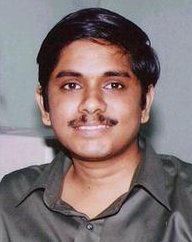
 காலத்திற்குக் காலம் தமிழன்னை தன் வளர்ச்சியைக் கொண்டு சிறப்பான தமிழ் மைந்தர்களை தமிழ் உலகிற்கு ஈவதுண்டு. அத்தகைய ஒரு சிறப்பு மைந்தனைப் பேட்டி காணுவதில் நிலாச்சாரல் பெருமையடைகிறது .
விஷி (எ) விஸ்வநாதன் தமிழ்க்கணினி உலகிற்குக் கிடைத்த ஒரு வரப்பிரசாதம் மட்டுமல்ல, அவரிடமிருந்து இளைய தலைமுறை கற்க எவ்வளவோ இருக்கிறது. தன்னை நோக்கிக் காலம் விடும் சவால்களை ஆன்மீகப் பலத்தோடு எதிர்நோக்கி வெற்றியடையும் இவரது மனோதிடம் வியக்கத்தக்கது.
இந்தத் தமிழன்னையின் சிறப்பு மைந்தன், தஞ்சாவூர் மாவட்டதைச் சேர்ந்த கண்டமங்கலம் எனும் கிராமத்தைச் சேர்ந்தவர். பொறியியற் பட்டத்தோடு முதுகலை டிப்ளமோவும் முடித்த கையோடு பஜாஜ் ஆட்டோ நிறுவனத்திலும், அதைத் தொடர்ந்து டாட்டா கன்சல்டன்ஸியிலும் பணியாற்றியவர்.
இப்படி பணியாற்றிக் கொண்டிருந்தபோது 'கொலைட்டிஸ் (Colitis)' எனும் நோயினால் இவர் பாதிக்கப்பட, பணியிலிருந்து விலகும் கட்டாயம் ஏற்பட்டது. காலம் தனக்குக் கொடுத்த இந்த நோயால் தளர்ந்து போகாமல் தனக்கு வந்த தடைக்கற்களைப் படிக்கற்களாக்கிட, கணினித் துறையில் தனது முழுக்கவனத்தையும் செலுத்தினார் விஷி. மென்பொருளாக்கத்தில் மேதையாகினார். தமிழ் சமூகம் பயன் பெற "அழகி" எனும் தமிழ் மென்பொருள் தொகுப்பை உருவாக்கினார்.
தமிழகத்தின் சன் டி.வியினால் "நம்ம ஊர் விஞ்ஞானி" என்று புகழ்மாலை சூட்டப்பெற்றார். இவரைச் சிறப்பிக்காத தமிழ் ஊடகங்கள் இல்லை எனலாம். தனது இந்த வளர்ச்சிக்கு மிகவும் தன்னடக்கத்தோடு, தெய்வ துணையும், தனது அற்புதமான மனைவியின் பக்கபலமும், மற்றைய நண்பர்களின் உதவியும், உந்துதலுமே காரணம் என்று குறிப்பிடும் விஷி நிச்சயமாக தமிழ் உலகிற்கு கிடைத்த ஒரு மாமணியே !
பாரதியைப் போன்ற ஒரு மாமணியைப் போற்றி உதவத் தயங்கினோமே என அன்றைய நமது சமுதாயத்தின் பின்வாங்கலுக்குத் தலைகுனியும் நாம், இந்தத் தலைமுறையில் இப்படிப்பட்ட ஆற்றல் நிறைந்தவருக்கு தேவையான உதவிகளைப் புரிந்து அவரின் திறமையினால் தமிழின் சிறப்பும், நமது இளைய தலைமுறையின் தமிழ் கற்கும் ஆர்வமும் மேலும் பெருக, உலகத் தமிழர்கள் அனைவரும் உறுதுணை புரிவார்கள் எனும் நம்பிக்கையில், உங்களுக்காக இதோ விஷி விஸ்வநாதன் !
Q. சிறுவயது முதலே தமிழார்வம் இருந்ததா அல்லது அது பிந்தைய வாழ்வில் ஏற்பட்ட ஒன்றா?
சிறு வயது முதலே இருந்த ஆர்வம்தான். ஆர்வம் மட்டுமின்றி ஆக்கமும் இருந்தது. எப்பொழுதும் (எனக்கு நினைவு தெரிந்து 3-ஆம் வகுப்பு முதல்) தமிழில் எப்பொழுதும் முதல் மதிப்பெண்தான், எந்த நிலையிலும். பல போட்டிகளில் - பேச்சு, கட்டுரை, பாட்டு, நடிப்பு ... என்று பல பரிசுகளை வென்ற அனுபவமும் உண்டு. என் தமிழாசிரியர்கள் திரு.ஜெகதீசன் (சென்னை) மற்றும் கவிஞர் திரு.கோ.பெ.நா (மேட்டுர்) - இந்த ஆசிரியர்கள் இருவரையும் என்னால் மறக்கவே முடியாது. 20 வருடங்கள் ஓடிய பின்பும், இன்றும் நல்ல தொடர்பு வைத்துள்ளேன் என்றால் பார்த்துக் கொள்ளுங்கள் !!
Q. கணினித்துறையில் இருந்த திறமையைப் பயன்படுத்த தமிழ் மென்பொருளாய்வு செய்தீர்களா? அன்றி தமிழின் மீதுள்ள ஆர்வத்தால் அதன் முன்னேற்றத்திற்கான ஓர் படி என்பதாலா?
இரண்டும் சேர்ந்த ஒரு கலவைதான் என்று சொல்ல வேண்டும். ஆனால், அதற்குரிய வாய்ப்பு அமைந்தது. ஏனென்றால், உண்மையில், நானாகவே ஒரு மென்பொருள் செய்வேன், அதுவும் தமிழின் முன்னேற்றத்திற்காகச் செய்வேன் என்று நான் ஒருபோதும் நினைத்துப் பார்த்ததில்லை. 'Blessing in Disguise' என்று ஆங்கிலத்தில் சொல்வார்களே - அது போல நானே மென்பொருள் செய்ய ஒரு வாய்ப்பு வந்தது. அந்த வாய்ப்பை தமிழ் மொழியின் முன்னேற்றத்திற்காகப் பயன்படுத்த வேண்டும் என்று இறைவன் நிர்ணயித்ததில் மகிழ்ச்சி.
ஒரு கொடிய வியாதியைத் தந்து, அதையே ஒரு தூண்டுகோலாக / பாலமாக / வரமாக ('அழகி' தமிழ் மென்பொருள் செய்ய) அமைத்த இறைவனுக்கு நன்றி. இல்லையென்றால், 'Also went to USA. Also settled in USA' என்றே என் வாழ்க்கை அமைந்திருக்கும். ஒரு மென்பொருள் சிற்பியாக இன்று பரிணமித்து, நானே தனிமனிதனாய்க் கண்டுபிடித்து உருவாக்கிய ஒன்று மற்றவருக்கு மிகுந்த பயனை அளிக்கும்பொழுது, அதற்காக அவர் நம்மை மனமாரப் பாராட்டி உள்ளத்து பேரன்பைத் தெரிவிக்கும்பொழுது ஏற்படும் 'ஓர் உணர்வு' (a special feeling), அது படைப்பாளிகளுக்கு மட்டுமே தெரியும். வார்த்தைகளால் என்றுமே விவாதிக்க முடியாது. எப்படி ஞானிகளால் தங்கள் நிலையை முழுமையாக எடுத்துச் சொல்ல முடியாதோ, அது போல.
Q. உங்களின் தமிழ் மென்பொருளாக்கத்திற்கு "அழகி" எனப்பெயரிட்டதற்கு ஏதாவது பின்னணி உண்டா ?
'அழகு' என்பது புறத்தில் அல்ல அகத்தில்தான் என்று சிறு வயதிலேயே நாம் கேட்டதுண்டு. படித்ததுண்டு. ஆனால், படிப்பதும் கேட்பதும் சிறு விஷயம். அதை வாழ்க்கையில் உணர்ந்து பார்ப்பது என்பது மிகப் பெரிய விஷயம். அவ்வாறு உணரும் பாக்கியத்தை அளித்த என் மனைவியின் அழகான உள்ளத்தைக் கௌரவிக்கும் வகையில்தான் என் மென்பொருளுக்கு 'அழகி' என்று பெயரிட்டேன். இதுதான் குறிப்பிட்ட பின்னணி என்றாலும், பொதுவாக பார்க்கையிலும், அது என் மென்பொருளுக்கு மிகவும் பொருத்தமான பெயராகவே உள்ளது. இதற்கு, 'அழகி' உபயோகிப்பாளர்கள் பலரின் விமர்சன இ-மெய்ல்களையே சான்றாகச் சொல்லலாம்.
என் மென்பொருளின் அடிப்படை எழுத்துருவான SaiIndira என்பதில் Indira என் அன்னையின் பெயர் என்பதையும் இங்கே குறிப்பிட்டுச் சொல்ல விழைகிறேன். Sai எதைக் குறிக்கின்றது என்று பலருக்கும் தெரிந்திருந்தாலும், பொதுவாக அது உணர்த்துவது Universal Love என்ற பரந்த எண்ணத்தையே ஆகும்.
Q. தமிழ் இலக்கியத்தின் மீது உங்களுக்கு உள்ள ஆர்வம் எத்தகையது?
நான் பள்ளியில் இலக்கிய மன்றச் செயலாளராக (தமிழ், ஆங்கிலம் இரண்டிற்கும்) இருந்தபொழுது இலக்கியங்கள் சில படித்ததுண்டு. ஆனால், பொறியியல் மற்றும் பி.ஜி.டிப். படிப்பு முடித்து விட்டு Bajaj Auto Ltd., Tata Consultancy Services போன்ற நிறுவனங்களில் மென்பொருள் பணியில் இறங்கிய பிறகு, பாரதியார் கவிதைகள், திருக்குறள் இவை இரண்டும் மட்டுமே அவ்வப்போது படிப்பவை. மற்றபடி, ஞானிகள் பலரின் வாழ்க்கை வரலாறுகளைப் படிப்பதில்தான் ஈடுபாடு அதிகம். கவிதை எழுதும் திறன் உண்டு - 14 வயது முதல். நேரம் கிடைக்கும்பொழுது இப்பொழுதும் எழுதுவதுண்டு. செந்தமிழில், மிக அழகாக கவிதை எழுதும் மற்ற சிலரின் தொடர்பும் இப்பொழுது உண்டு. அந்த நவீன இலக்கியங்களையும் ரசித்துக் கொண்டிருக்கிறேன்.
Q. உடல்நலம் குன்றியிருந்தும் உற்சாகத்தோடு சமுதாய நலத்தை முன்வைத்து அரிய தமிழ் மென்பொருட்களை கணினி உபயோகிப்பதற்காக உருவாக்கிக் கொடுத்த உங்களுக்கு, மனத்திடத்திற்கான உந்து சக்தியாக விளங்கியது எது ?
நிறைய.
1. தன்னம்பிக்கை (self-confidence).
கடின உழைப்பிற்கு (hard work) உதவுவது இது ஒன்றே.
2. இறை நம்பிக்கை (faith in god).
விடாமுயற்சிக்கு தூணாக இருப்பது இது ஒன்றே. 'Hard work ever pays' என்று ஆங்கிலத்தில் சொல்வார்கள். 'கடின உழைப்பு' எப்பொழுதும் பலன் அளிக்குமா என்பது ஐயமே. என் அனுபவத்தில் நான் கற்றது : 'Hard work with perseverance ever pays'. 'விடா முயற்சியுடன் கூடிய கடின உழைப்பு என்றும் பலன் தரும்'.
3. பொறுமை.
'பொறுமை பெருமை தரும்' என்று ஆராய்ந்து சொல்லியுள்ளனர் முன்னோர். அது முற்றிலும் உண்மை.
4. ‘மனதில் உறுதி வேண்டும்’ என்ற பாரதியின் ஞானப்பாடல். அதுவும் இசைஞானியின் இசையில் (இசைஞானியின் மெலடி[melody] பாடல்கள் தரும் ஒரு அமைதிப் பரவசம் [quietening effect] மகத்தானது). எண்ணிலடங்கா முறை, இந்தப் பாட்டை தனியே பாடிக் கொண்டதுண்டு.
5. 'நாம் வெற்றி பெற்றே தீர்வோம்' என்ற அசைக்க முடியாத 'Positive mental attitude'.
6. Visualisation
என்ன சாதனை செய்ய வேண்டும் என்று தோன்றுகிறதோ அதை நெஞ்சத்தின் அடியாழத்திலிருந்து அடிக்கடி அடிக்கடி அடிக்கடி எண்ணிப்பார்த்தல். (இது மிகவும் சக்தி வாய்ந்தது. இதைப் பற்றி விவேகானந்தர் பெரிய அளவில் சொல்லியுள்ளார்)
7. Hope the very best but be prepared for the very worst too.
இது மிகவும் அவசியம். நாம் நினைத்ததே நடக்கும் என்ற தீவிர நம்பிக்கை இருந்தாலும், அது நடக்காமல் போகும்பொழுது அதை எளிதாக உதறித் தள்ளி விட்டு 'எல்லாம் நன்மைக்கே' என்று எப்பொழுதும் போல் இயல்பாய் இருக்கும் மனப்பக்குவம் வேண்டும்.
மொத்தத்தில், சுருக்கமாகச் சொல்ல வேண்டுமென்றால், இறைவன் மேல் "முழு" நம்பிக்கை (total faith and surrender) வைத்து, நம் கடமையை நாம் செவ்வனே (ஆற்றலுடன், பொறுமையுடன்) செய்து கொண்டிருந்தால், அதுவே போதும். எது எப்பொழுது நடக்கும் என்று இறைவன் அறிவான். அவன் வீட்டில், "ஏன்? எதற்கு?" என்ற கேள்விகளுக்கே இடம் இல்லை. 'கடமையைச் செய். பலனை எதிர்பார்க்காதே' என்ற வார்த்தைகளின் உன்னதத் தன்மையை, அதன் வலிமையை, அனுபவத்தின் மூலம் உணர்ந்தவன் நான். அதன்படியே எப்பொழுதும் நடக்கவே பெரிதும் “முயன்று” வருகிறேன்.
Q. தொடர்ந்தும் பல அரிய சாதனைகளை உங்களிடம் இருந்து எதிர்பார்க்கும் தமிழ்க் கணினி உலகிற்கு என்ன கூற விரும்புகிறீர்கள்?
நிறைய எதிர்பார்க்கும் அளவிற்கு நிறைய ஊக்கமும் (பல்வேறு பரிமாணங்களில்) அளியுங்கள், தொடர்ந்து. அதுதான் தேவை. அது இருந்தால் போதும். எது ஒன்றுமே யாருக்கும் கடினமில்லை. எல்லாமே முடியும். ஒரு கால கட்டத்தில், வியாதியின் தீவிரம் மிகவும் அதிகமாக இருந்தது. புதிதாய் ஒன்றைக் கண்டுபிடித்து, அதற்குரிய designing / coding / testing மற்றும் website creation/enhancement என்று எல்லாவற்றையும் ஒரே நபராகச் செய்வது மிகவும் கடினமான ஒன்று. அதையே ஒரு தீவிர வியாதியின் நடுவில், சாதாரண கம்ப்யூட்டர்/இன்டெர்னெட் வசதிகளின் நடுவில் செய்வதென்பது இன்னமுமே இன்னல்கள் நிறைந்த ஒன்று. அப்பொழுதெல்லாம் மிகப்பெரிய பலமாக இருந்தது users எழுதிய எழுச்சியூட்டும் இ-மெய்ல்கள் மற்றும் அவர்கள் காட்டிய அன்பும் பாசமும்தான். காலம் உள்ளவரை மறக்க முடியாது அவர்களை. அவர்கள் எழுதிய அனைத்து அன்பு இ-மடல்களும் பத்திரப்படுத்தப்பட்டுள்ளன. பல users இன்று என் குடும்ப நண்பர்களே ஆகி விட்டார்கள். அப்படி கடினப்பட்டு உருவாக்கிய மென்பொருள் இன்று உலகளவில் பிரசித்தி பெற்று விளங்குவதில், அவர்களுக்கே முதற்பெருமை.
Q. உங்களுடைய மனைவியும் ஒரு மென்பொருள் பொறியியலாளர் (Software Engineer) என்று அறிகிறோம், உங்களுக்கு அவரின் திறமையும் உதவியாக இருந்ததா?
என் மனைவியின் knowledge domain வேறு (Oracle and Java certified Developer அவர்கள்). என்னுடையது வேறு. ஆதலால், நேரடி உதவி எதுவும் இல்லை. ஆனால், மென்பொருள் மற்றும் அழகி.காம் இவற்றின் interface அமைத்துக் கொண்டிருக்கும்பொழுது எல்லாம் அவரிடமே காட்டுவதுண்டு. ஒரு user என்ற முறையில், website visitor என்ற முறையில் வண்ணம்/அமைப்பு எல்லாம் எப்படி இருக்கின்றது என்று சொல்வார். மற்றபடி, அவரின் அன்பு, பரிவு, பொறுமை இவையே பெரிய உதவியாக எனக்கு இருந்தது அவர் இப்பொழுது ஒரு பிரபலமான software கம்பெனியில் வேலை செய்து கொண்டிருந்தாலும், அதற்கு அவர் எடுத்துக் கொண்ட முயற்சிகள் பல, செய்த தியாகங்கள் பல. அவர் அடிப்படையில் ஒரு Msc graduate. பொறியியலாளர் அல்ல.
Q. பல தொலைக்காட்சி நிகழ்ச்சிகளில் நீங்கள் அறிமுகப்படுத்தப்பட்டிருந்தாலும் கடந்த வருடம் சுதந்திர தினத்தையொட்டி நடந்த விசுவின் "அரட்டை அரங்கம்" உங்கள் மனதில் நீங்கா இடம்பெற்றுள்ளதாக அறிகிறோம். அதைப்பற்றி என்ன கூற விரும்புகிறீர்கள்?
இதற்கு பல முறை யோசித்தும் எப்படி ஒரு ஐந்து பத்து வரிகளில் பதில் எழுத முடியும் என்று தெரியாமல் திணறுகிறேன். இதைப் பற்றி தனியாகவே (சில காலம் கடந்து), ஒரு அனுபவமாக எழுதி விட்டால் என்ன என்றே தோன்றுகிறது. ஒன்று மட்டும் சொல்லிக் கொள்கிறேன். 'உண்மையாக'க் கஷ்டப்பட்டு கண்டுபிடித்த ஒன்றை பெரிய அளவில் வெளிச்சத்திற்குக் கொண்டு வந்து காட்ட யாருமே கிடையாதோ என்று இளைஞர்கள் துவண்டு விட வேண்டாம். திரு.விசு அவர்களும், அவர் குழுவும், அரட்டை அரங்கமும் உள்ளது என்பதை என்றும் நினைவில் கொள்ளுங்கள். மற்றபடி, இதுவரை என்னை பேட்டி கண்ட பத்திரிகை, வானொலி, தொலைக்காட்சி அன்பர்கள் அனைவருக்குமே என் மனமார்ந்த நன்றிகள் என்றென்றும் உண்டு.
Q. உங்களுடைய உடல்நலம் தற்போது எப்படியுள்ளது? அதைப்பற்றி உங்கள் அபிமானிகளுடன் ஏதாவது பகிர்ந்து கொள்ள விரும்புகிறீர்களா?
என் உடல் நலம் இப்பொழுது முன்பை விட எவ்வளவோ முன்னேற்றம் அடைந்துள்ளது. மிக மிக மோசமான நிலையில் இருந்தது. அதற்கு ஒப்பிடும்பொழுது, நன்றாகவே இருக்கிறேன் என்று சொல்லலாம். உணவுக் கட்டுப்பாடுகளும் ஓரளவு தளர்த்தப்பட்டுள்ளன. ஆனால், நினைத்த மாத்திரத்தில் எங்கு வேண்டுமானாலும் செல்ல முடியாது. சாப்பிட முடியாது. பொதுவாகவே, வெளியில் (சென்னைக்குள்ளே மட்டுமே) செல்வது - மிகவும் முக்கியமாக இருந்தால் மட்டுமே. சென்னையை விட்டு வெளியே செல்வதென்பது மிக அபூர்வமே! நெய்வேலி (அரட்டை அரங்கத்திற்காக) சென்றது, கடந்த 7 வருடங்களில் இரண்டாவது முறையாக சென்னையை விட்டு வெளியே சென்றது. அதன் முன் - வைத்தீஸ்வரன் கோயில் - 2001-இல்.
Q. உங்களுடைய கண்டுபிடிப்புகள் முழுமைத்துவம் பெற தமிழ்க் கணினி உலகு எத்தகைய ஒரு வடிவம் பெற வேண்டுமென்பது உங்கள் எதிர்பார்ப்பாக இருக்கிறது?
தமிழ்க் கணினி உலகம் மிகவும் மெதுவாக நகர்ந்து கொண்டிருப்பதாகவே உணர்கிறேன். இன்னும் எத்தனையோ விஷயங்கள் இருக்கின்றன மென்பொருளாய் வடிவம் பெற. ஆயிரக்கணக்கில் பணியாட்கள் கொண்ட மென்பொருள் நிறுவனங்கள் பல இருந்தும் நான் கற்பனை செய்து வைத்திருக்கும் பல மொழி-வளர்ச்சி மென்பொருள்கள் ஏன் இன்னும் வெளிவரவில்லை என்று ஆச்சரியமாக இருக்கின்றது.
இந்த மென்பொருள்கள் தமிழில் மட்டுமல்ல, உலக மொழிகள் எல்லாவற்றிலும் திறம்பட இருக்க வேண்டும் என்றே மனம் ஆசைப்படுகின்றது. இந்த மென்பொருள்கள் எல்லாம், மிகவும் நேர்த்தியாக, பரந்த அம்சங்களுடன், மிகச் சுலபமாக செயலாக்கும் வகையில் வந்து விட்டால், அது உலகளவில் ஒரு மகத்தான சமூக சேவையாக அமையும். கணினி தொழில்நுட்பம் வளர வளர மொழிபெயர்ப்பு மென்பொருள்கள் (language translation softwares), ஒலி உணர் மென்பொருள்கள் (softwares to effect 'voice recognition', 'text-to-speech' and kind) போன்றவை கூட தமிழில் நிச்சயம் சாத்தியமாகும் என்பதில் அசையாத நம்பிக்க வைத்திருக்கிறேன். ஆனால், ஒரு விஷயத்தையே பலரும் பல இடங்களிலிருந்து ஆராய்ச்சி செய்து கொண்டிருந்தால் மிகப் பெரிய நேர விரயம் அது.
வேறு வழி இருக்கிறதா என்று யோசித்தால், என் அநுபவங்களின் அடிப்படையில், இருப்பதாகத் தெரியவில்லை என்றுதான் சொல்ல முடிகிறது. சூழ்நிலை அப்படி. இந்நிலை மாறுமா? இறைவனுக்கே வெளிச்சம். எது எப்படியோ, இறைவன் யாரை எதைச் செய்ய நிர்ணயித்திருக்கிறானோ, அவர்களே அதைச் செய்வார்கள். அதை யாராலும் மாற்ற முடியாது. யார் எந்த தரமான மென்பொருளைச் செய்தாலும், செய்து கொண்டிருந்தாலும், அவர்களுக்கு என் மனமார்ந்த பிரார்த்தனைகள் என்றென்றும் உண்டு.
Q. உங்களது உழைப்பு, நம்பிக்கை, இறையன்பு, சாதனை இவைகளை இன்று இளம் தமிழுலகு உதாரணமாகக் கொண்டுள்ளது. இளம் தலைமுறைக்கு என்ன கூற விரும்புகிறீர்கள்?
நான் இளைஞர்களுக்கு உதாரணமாக இருக்கிறேன் என்று நீங்கள் நினைத்தால் மகிழ்ச்சி. நான் அவர்களுக்கு அறிவுரை கூறத் தகுந்தவனா தெரியவில்லை. ஏனென்றால் என்னுள் பல குறைபாடுகள் உண்டு. ஆதலால், நான் வாழ்க்கையில் கற்றுக்கொண்ட சிலவற்றைச் சொல்கிறேன். அதில் எது அவர்களுக்கு உடன்பட்டதாகத் தெரிகிறதோ அதை எடுத்துக் கொள்ளட்டும்.
1. அன்பு.
பணம் தேவை. ஆனால், அதுவே வாழ்க்கை அல்ல. பல தலைமுறைகளுக்கு சம்பாதித்து வைத்தாலும், இறுதியில் அந்த பணம் கூட வரப் போவதில்லை. ஆனால், ஒன்று நிச்சயம் கூட வரும். நீங்கள் சம்பாதித்து வைக்கும் 'அன்பு'. எனவே அதை நிறைய சம்பாதியுங்கள். பாரதி சொல்கிறார் :
" ஊனுடலை வருத்தாதீர்; உணவியற்கை கொடுக்கும்;
உங்களுக்குத் தொழிலிங்கே அன்புசெய்தல் கண்டீர்! "
2. அடக்கம்.
என்றும் எப்பொழுதும் அடக்கத்துடன் இருத்தல் வேண்டும். பால் ப்ரன்டன் (Paul Brunton), Author of ‘Search in Secret India’, சங்கர பெரியவரிடம் : “கடவுளை நான் காண வேண்டும். சுலபமான ஒரே ஒரு வழி சொல்லுங்கள்” என்கிறார். அதற்கு பெரியவர் : “அடக்கமாக இருங்கள். அது ஒன்றே போதும்.” என்கிறார். அடக்கத்தின் வலிமை அவ்வளவு.
3. மறத்தல்.
சாயி கூறுவது போல், "மற்றவர் நமக்குச் செய்யும் கெடுதலை மறந்து விடுவோம். நாம் மற்றவர்களுக்குச் செய்யும் நல்லதை மறந்து விடுவோம்" (பி.கு. மற்றவர் செய்யும் கெடுதலையாவது மறந்து விடலாம். நாம் செய்யும் நல்லதை முற்றிலும் மறக்கவே முடியாது. Ego அதை எப்படியாவது ஏதாவது ஒரு தருணத்தில் சொல்லிக் காட்டும்)
4. குறை சொல்தல் வேண்டாம்.
யாரையும் எதற்கும் எப்பொழுதும் குறை சொல்ல வேண்டாம். "தீதும் நன்றும் பிறர் தர வாரா" - சொல்கிறது நம் பண்டை இலக்கியம்.
5. பாராட்டுதல்.
ஒருவர் ஒரு நல்ல விஷயம் செய்தால், அதை மனதா...........ரப் பாராட்டுங்கள். அதில் தயக்கத்திற்கு (பல காரணங்களை மனதில் வைத்து) இடம் கொடுக்காதீர்கள். நீங்கள் சொல்லும் ஒரே ஒரு பாராட்டு வார்த்தை பெரிய திருப்புமுனை (turning point)-ஆக ஒருவர் வாழ்க்கையில் அமையலாம்.
6. பொறாமை வேண்டாம்
'பொறாமை மனத்தின் மலம்' - வைரமுத்து சொன்னதாய் என் ஆத்ம நண்பரின் மனைவி எழுதினார்கள் ஒரு முறை
7. கோபம் வேண்டாம்.
கோபத்தினால் யாரும் எதையும் சாதித்ததாய் நினைவில்லை.
8. நன்றி மறப்பது நன்றன்று.
நாம் வந்த பாதையை மறந்து விடக் கூடாது. மற்றவர் செய்த சிறு உதவியையும் நினைவில் கொள்ள வேண்டும்.
காலத்தி னாற்செய்த நன்றி சிறிதெனினும்
ஞாலத்தின் மாணப் பெரிது
அல்லவா?
9. நீங்கள் உயரும்பொழுதே, மற்றவர்களும் உயர உங்களால் முடிந்த அளவு 'வழி செய்யுங்கள்' (ஆதாயம் பார்க்காமல்). முடியவில்லையா, 'வழி விடுங்கள்'.
10. மதம், மொழி, நாடு - இந்த குறுகிய வட்டம் வேண்டாம். வேண்டவே வேண்டாம்.
"யாதும் ஊரே யாவரும் கேளிர்" - சொல்கிறது நம் இலக்கியம். அதாவது, "யாதும் நம் இடம்தான். யாவரும் நம் உற்றார்தான்". நன்றாகச் சிந்தித்துப் பாருங்கள். இந்த உலகம் தோன்றியபொழுது இந்த மூன்றும் (மதம், மொழி, நாடு) இல்லை. நாம் தோன்றியபொழுதும் இவை மூன்றும் நாம் அறியவில்லை.
எனவே, Love All Serve All என்ற பரந்த எண்ணத்துடன் என்றும் இருப்போம். மதம், மொழி, நாடு இவையெல்லாம் தாண்டி, மிகப்பெரிய எல்லையற்ற சக்தி நாம். நாம் உடலும் அல்ல. எண்ணமும் அல்ல (We are neither body nor mind). ரமண மஹரிஷி போன்றோர் அந்த நிலையில் இருந்தவர்தாம். அன்றாட வாழ்க்கையில், நமக்கு எல்லையாக நம்மையே வைத்துக் கொள்வோம். பில் கேட்ஸையோ, அப்துல் கலாமையோ அல்ல. ஒவ்வொரு நாளும் நம்மை நாமே முன்னேற்றி ஓர் உண்மையான மனிதனாக முழுமைத்துவம் பெற முயன்றால் அதுவே போதுமானது. முயற்சியின் முடிவில், நாம் 'எல்லையற்ற சக்தி' என்பதை உணர்ந்து விடலாம்.
மேற்கூறியவற்றில் எல்லாவற்றையும் எல்லா நேரத்திலும் விஷி கடைப்பிடிக்கிறாரா என்று உங்கள் மனதில் இயற்கையாக ஒரு கேள்வி எழலாம். அதற்கு பதில்: "இல்லை" என்பதுதான். நானும் வாழ்க்கைப் பாடத்தில் மாணவன்தானே! சில சமயங்களில், மேற்கூறியவற்றைக் கடைப்பிடிப்பதில் "படுதோல்வி" அடைகிறேன் (I fail miserably) . ஆனால், "முயற்சி" செய்கிறேன் - தோல்விகளைக் குறைக்க, தவிர்க்க. நம் கடமையைச் செவ்வனே செய்து, மேற்கூறியவற்றை எல்லா நேரத்திலும் கடைப்பிடித்து விட்டோம் என்றால், நாமும் ஞானி அல்லவா? மொத்தத்தில், சுருக்கமாகச் சொல்ல வேண்டுமென்றால், வாழ்க்கையில் அடையப் பெறுவதற்கான "உன்னத ஆசை" என்று ஒன்றிருந்தால் அது 'ஞானம் அடைய வேண்டும்' என்பதுதான். அதற்கு வயது, கால, நேர தடைகள் வைத்துக் கொள்ள வேண்டாம்.
Q. உங்களுடைய ஆராய்ச்சிகள், கண்டுபிடிப்புகள் இன்னும் விரிவடைய உலகத் தமிழன்பர்களிடமிருந்து நீங்கள் எத்தகையதொரு ஆதரவை எதிர்பார்க்கிறீர்கள்?
'Tip of the iceberg' என்று ஆங்கிலத்தில் சொல்வார்கள். 'அழகி'-யும் அவ்வளவே. இன்னும் சாதிக்க வேண்டியவை எவ்வளவோ இருக்கின்றன. மற்றும், மற்ற துறைகளில் என்னை விட பன் மடங்கு பெரும் கஷ்டங்களுக்கிடையில் மற்றவர்கள் ஆற்றியிருக்கும் சாதனைகளைப் படிக்கும்பொழுது, கேட்கும்பொழுது, பார்க்கும்பொழுது, நாம் ஒன்றுமே செய்யவில்லை என்றுதான் எனக்கு தோன்றும். ஆதலால், எனக்காக மட்டும் என்று என்னால் தனிப்பட்ட முறையில் எந்த ஆதரவும் கேட்க மனம் ஒவ்வவில்லை. எனவே, சில விஷயங்களை மட்டும் முன் வைக்கின்றேன். படிக்கும் வாசகர்கள் பின் என்ன செய்ய வேண்டுமோ செய்யட்டும்.
1. எல்லா மென்பொருள்களின் (அது தமிழோ அல்ல வேற்று மொழி மென்பொருளோ, இலவசமோ அல்ல விலைக்கான மென்பொருளோ) பின்பும் இரவு பகல் பாராத பல மணி நேர அயராத உழைப்பு உள்ளது. ஒரு மென்பொருள் இலவசமாக இருப்பதற்கும் மற்ற மென்பொருள் விலைக்கு விற்பதற்கும் பல சூழ்நிலை காரணங்கள் உண்டு. ஆனால், உழைப்பு இரண்டிற்கு பின்னாலும் உண்டு. பல மென்பொருள்களின் பின்னால், மிகப் பெரிய அளவில் பணச் செலவும் உள்ளது. எனக்கு மட்டும் அல்ல, மென்பொருள் சமுதாயத்திற்கே நீங்கள் செய்யும் பெரிய உதவி, மென்பொருள் செய்தவர்களையும் அவர்கள் செலவிட்ட/செலவிடும் நேரம்/பணம்/உழைப்பு (time/money/energy) இவற்றையும் "முழுமையாக" புரிந்து கொள்ளுதலே அகும். புரிந்து கொண்டால், எத்தகையதோர் ஆதரவு தர வேண்டும் என்று உங்களுக்கே தெரியும்.
2. உலகையே பெரும் வியப்பில் ஆழ்த்தும் இன்னும் பல பரவசமூட்டும் கண்டுபிடிப்புகள் [அவற்றின் முன் 'அழகி' மிக மிக மிகச் சாதாரண கண்டுபிடிப்புதான்], நான்கு சுவர்களுக்குள்ளேயே முடங்கிக் கிடக்கின்றன என்று நிச்சயமாக சொல்லலாம். இதற்கு காரணங்கள் பல - விரிவாகச் சொல்லத் தேவையில்லை. எல்லோருக்கும் தெரிந்த உண்மைகளே.
எதிர்காலத்தில், இப்படிப்பட்ட கண்டுபிடிப்பாளர்களுக்கு, எல்லா வகையிலும் உதவும் வகையில், "Inventors' Club" என்று ஒன்று பெரிய அளவில் உலகெங்கும் பல கிளைகளுடன் இருக்க வேண்டும் என்று ஆசை. வெளிநாட்டில் உள்ள நல்ல பண வசதி உள்ளவர்கள் யார் இதை ஆரம்பிக்க முன் வந்தாலும், அது கண்டுபிடிப்பாளர்கள் பலருக்கும் ஒரு பெரிய பாலமாக அமையும். (ஒவ்வொரு நாளும் புதுப் புது பெயரில் பொது நல நிறுவனங்கள் ஆரம்பிக்கப்படுவதையே கேட்க நேரிடுகிறது). கண்டுபிடிப்பாளர்களுக்கும் கூட அவர்கள் கண்டுபிடிப்பைச் சார்ந்த வசதிகள் பற்பல தேவை என்பதைப் புரிந்து கொள்ளுங்கள். அவ்விதமான வசதிகள் எத்தனை அவர்களுக்கு கிடைக்கிறதோ, அத்தனை சீக்கிரம் புதிய புதிய கண்டுபிடிப்புகள் அவர்களிடமிருந்து வெளி வரும் என்பதை தயவு செய்து நெஞ்சத்தின் அடி ஆழத்தில் (very deep inside your heart) அழிக்க முடியா வண்ணம் பதிந்து கொள்ளுங்கள்.
3. http://azhagi.com/jana என்ற வலைப்பக்கம் சென்று பாருங்கள். எனக்கு இருக்கும் நேரத்தில், இந்த சாதனைச் சிறுவனுக்கு மட்டுமே என்னால் வலைப்பக்கம் வைக்க இயன்றது. ஆனால், இது போன்ற சாதனையாளர்கள் எத்தனையோ பேர். இவர்களையெல்லாம் வளர்த்தெடுப்பது யார்? யார் இவர்களைப் பற்றி உலகுக்குச் சொல்வது?
எத்தனையோ பொதுநல நிறுவனங்கள் இருந்தாலும் சாதனையாளர்களை அடையாளம் காட்டி வளர்த்தெடுக்க எந்த நிறுவனமும் இருப்பதாக எனக்குத் தெரியவில்லை (இருந்தால் சொல்லுங்கள். தொடர்பு கொள்ள மிகுந்த ஆவல்). பணமும் நேரமும் இருக்கிறதா? மீண்டும் மீண்டும், கதை/அரசியல்/சினிமா என்றில்லாமல், சாதனையாளர்(களு)-க்கு ஒரு வலைத்தளம் வையுங்களேன். நிறுவனமும் தொடங்குங்களேன். இதை மட்டும் செய்தாலே, அதுவே நீங்கள் 'அழகி'க்கு தரும் பேராதரவாக நினைத்துக் கொள்கிறேன்.
என் எண்ணங்களை இந்த அளவிற்கு விரிவாகப் பகிர்ந்து கொள்ள, நுட்பமான கேள்விகளைக் கேட்டு வாய்ப்பளித்தமைக்கு மீண்டும் என் நன்றிகளை 'நிலாச்சாரலுக்கு' (என்ன அழகான பெயர்!) தெரிவித்துக் கொள்கிறேன். வணக்கம்.
